Lumanto For Streamers Guide
Free overlay, chat caravans, Steam list visibility, and multi-stream collabs.
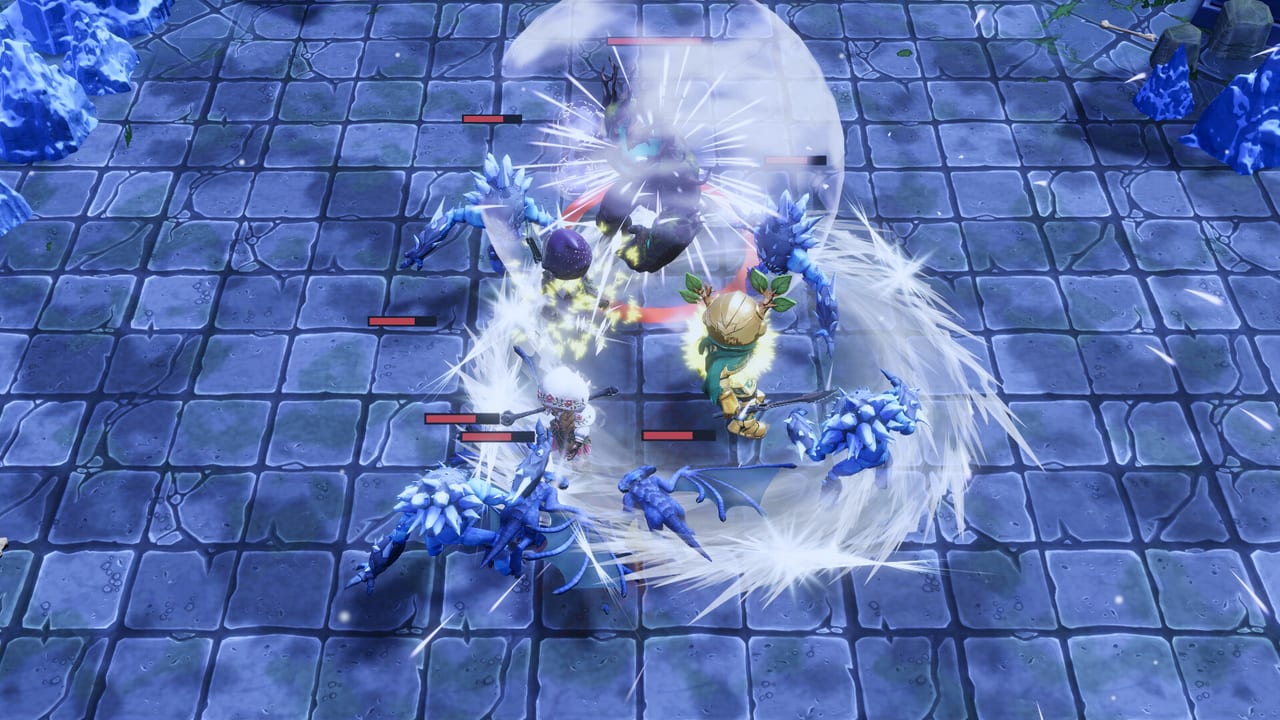
Steam’s For streamers section is short and specific: add Lumanto to your broadcast as a free overlay; your chat becomes a caravan; raids turn into invasions between streams; smaller channels can team up with up to six streams in one caravan (yours and five more); and opening your stream to Steam puts the channel on the in-game stream list for players worldwide. This guide is written for creators who host that layer—not for viewers typing !lumanto. Viewer join paths live on Join Live Streams. Day-one account setup is still Getting Started. Seasonal Colossus framing sits under Seasons. Launch verification habits are on Launch & Steam News. Official URLs stay on the Links Hub.
Host path versus viewer path
Do not mix the two jobs:
| Role | What you do |
|---|---|
| Streamer (this page) | Run the free overlay, open the channel to Steam, host chat-as-caravan combat, optional multi-stream stacks and invasions |
| Viewer / player | Join from the Steam stream list or type !lumanto in Twitch or Kick chat so their hero appears on your screen |
Viewers keep progress on the same hero afterward—whatever they earn on stream stays in the app. Your job is to make that march visible, stable, and honest. For the player-facing checklist (chat command, etiquette, hunt bank while watching), send chat to Join Live Streams instead of pasting a second copy of that guide on stream.
Free overlay: chat becomes a caravan
Official copy: add Lumanto as a free overlay so the caravan state sits on your broadcast while chat participates. Practical host checklist:
- Install Lumanto from Steam (app 5578650) on the broadcast machine and sign in with Steam.
- Confirm always-online connectivity and encoder headroom—Lumanto needs a persistent internet connection; see system notes via Links and the store requirements.
- Enable the client’s stream / overlay integration for your setup (OBS or equivalent browser sources as the client documents).
- Tell chat the join paths clearly: in-app join for streams open to Steam, or
!lumantoon Twitch/Kick for linked accounts. - Keep your own hero’s Workshop and hunt bank healthy so the hosted caravan does not look starved—viewers notice dead idle habits.
Streaming is optional for player progression. Hosting is optional for creators. Neither is a pay gate: the game sells nothing that makes you stronger and uses no loot boxes.
Open your stream to the Steam list
When you open your stream to Steam, the channel appears on the in-game stream list with live player count, streamer country, and what is happening there. That list is how app players discover you without already being in Twitch or Kick chat. Before go-live:
- Confirm the stream is marked open to Steam in the client controls.
- Use a stable title/category so the list entry is readable.
- Recheck the list from a second Steam account or ask a mod if your channel actually appears.
If chat-only viewers arrive first, still remind them that Steam list players can join without digging through menus—both paths feed the same caravan.
Raids become invasions; stack up to six streams
Store text: raids turn into invasions between streams, and smaller channels can team up with up to six streams in one caravan (yours plus five more). Treat that as collab infrastructure:
- Schedule invasion windows with partner channels so viewers land in the same march.
- Agree who hosts the primary overlay and how you announce the six-stream stack before the raid train starts.
- Keep join instructions identical across all six chats (
!lumantoplus Steam list) to avoid split caravans. - After the invasion, remind viewers that rewards stay on their own Steam hero—they are not stuck on your channel forever.
Do not invent undocumented raid scores or invasion loot tables. Describe the published fantasy: multi-stream caravans and invasions between streams, then point players to in-client tooltips for live numbers.
Stream Colossus and the season calendar
Every season lasts four weeks. Three daily orders and a weekly challenge move players along a 24-step season track, and every stream fights its own Stream Colossus, with chests at milestones. As a host:
- Check the season panel before long broadcasts so Colossus progress is actually active.
- Announce Colossus nights early so solo players can bank hunts and claim dailies first (Seasons).
- Remember viewers must still claim their own orders—watching does not auto-complete every personal track step.
- Use milestone chest timing as calendar markers for collab streams, not as invented loot spoilers.
Launch-week and patch-week habits (verify Steam news before promising mechanics) are covered in Launch & Steam News.
Same hero everywhere
Official line: whatever you earn on stream stays with you in the app. That is the retention pitch for both you and chat. Host messaging should reinforce:
- Steam login owns the hero.
- Twitch or Kick linking is optional and supports chat play with the same identity.
- Solo caravan and closed-game hunts continue when the stream ends.
Never imply that stream-only accounts or off-platform wallets are required. Always-online server progress is the product.
Production and safety tips for creators
- Keep Steam Guard enabled on the broadcast account; chat play still touches real identities.
- Ban phishing links that fake Lúmen giveaways or “free codes”—point scams to the honest Codes page rules instead of amplifying them.
- Bookmark Links for Steam news and lumantoidle.com when viewers ask for official URLs.
- Separate entertainment bits from mechanical claims: if Steam has not posted a change, do not invent patch notes on stream.
Related reading
- Join Live Streams — viewer
!lumanto/ in-app join flow - Seasons — four-week track and Stream Colossus skeleton
- Getting Started — hero and idle basics hosts should still run
- Launch & Steam News — how to verify patches before you promise them
- Links Hub — Steam, site, discussions
Host the free overlay, open to Steam, invite chat into a caravan, collab up to six streams, and keep Colossus nights aligned with the season track—then send viewers back to their own idle loops when the raid ends.
Frequently Asked Questions
Quick answers about Lumanto systems, heroes, and progression.
Is the Lumanto streamer overlay free?
Yes. Steam describes adding Lumanto to your stream as a free overlay so chat can become a caravan.
How many streams can share one caravan?
Up to six streams in one caravan—yours and five more—for smaller channels teaming up.
How do raids work between streams?
Official copy: raids turn into invasions between streams. Coordinate stacks and join instructions so viewers land in the same march.
How is this different from !lumanto joins?
This page is for hosts running the overlay and Steam list visibility. Viewers join via the app or by typing !lumanto—see Join Live Streams for that flow.
Do stream rewards stay on the viewer’s hero?
Yes. Steam states whatever you earn on stream stays with you in the app—the same Steam hero everywhere.